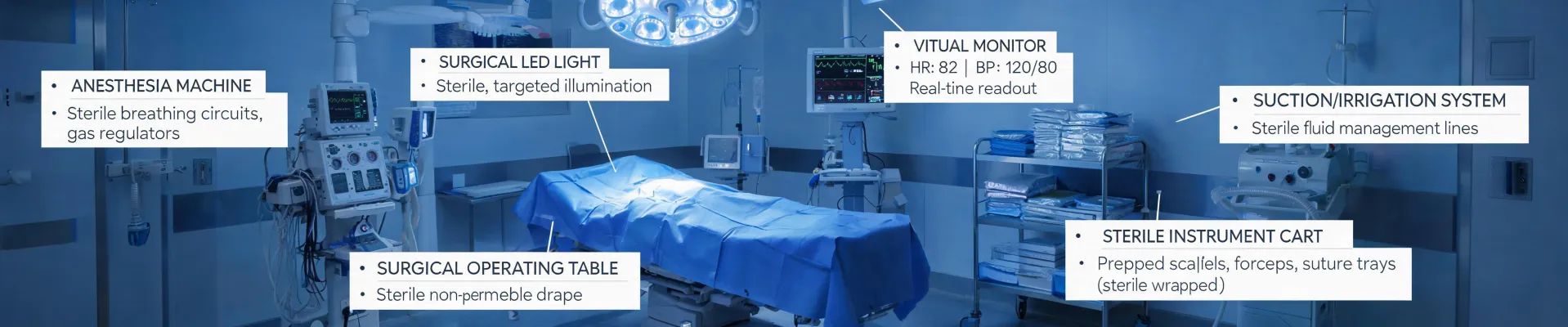
This checklist is for anyone responsible for the uptime and repair of Conmed equipment—particularly the System 5000, MRI machines, and CT scanners. If you're a Biomedical Engineer, OR Manager, or facility director, and you've had a system go down at the worst possible time, this is for you. Six steps. We'll go step-by-step. Let's start.
Step 1: Pre-Contract Service Assessment (What To Have Ready Before You Call)
Before your system goes down, you should already have three things documented. Most facilities skip at least one of these—and it's usually the one that bites them.
1.1 Your system's service history. For a Conmed System 5000, this should include the service manual revision level, any previous error codes (like E021 or E045), and what was done. For an MRI (whether you have a GE, Siemens, or Philips), have the software version and the last three service notes. MRI machines from different vendors have different failure modes (GE's gradient amplifier vs. Siemens' RF amplifier—they're different problems).
1.2 Your facility's access hours. This is critical. If you only have access from 8 PM to 6 AM because of clinic hours, say that upfront. I've had a tech dispatched with the wrong part because the dispatcher didn't know we had a night-only window. (Should mention: confirm access with security and have a contact person who can badge them in.)
1.3 A list of nearby service vendors. Not just the OEM. For Conmed devices, third-party vendors who stock Conmed-compatible parts can be faster than the OEM for non-warranty repairs. For MRI, there are regional specialty firms that do only MRI coils and cryogen refills. Have their numbers ready.
Step 2: Triage The Failure (What's The Priority?)
Not all failures are created equal. You need to categorize them by impact on surgery schedule and patient safety.
2.1 Immediate (Red). The system is down and you have a surgery scheduled within the next 24 hours. This applies to the Conmed System 5000 or an MRI if you have an urgent diagnostic scan. In my role coordinating service for a surgical center, we had a System 5000 error code E045 last March—36 hours before an ACL reconstruction. That's a red.
2.2 Urgent (Yellow). System is up but with degraded performance or intermittent errors. For a CT scanner, this might be an artifact in images that doesn't stop scanning but slows down throughput. For an MRI, it could be a He-level alarm (loss of cryogen) that isn't critical yet but needs repair within a week. A vendor told us we had 10 days before the magnet quenches. In hindsight, I should have called them back sooner.
2.3 Routine (Green). Scheduled maintenance or non-critical issues. This is where most facilities fall behind. They push out preventative maintenance (PM) until it becomes a red. (Note to self: track PM due dates for all six units.)
Step 3: Gather Details Before Calling For Service
When you call a service vendor for an MRI or CT scanner—or the Conmed System 5000—they will ask for specific information. Have this ready before you pick up the phone.
3.1 Error Codes: For the System 5000, note the exact code and the time it appeared. For an MRI, capture the error screen (take a picture). For a CT scanner, note whether it's a tube error, detector error, or gantry error. These are different subsystems.
3.2 Recent changes: Did you install new software? Did you swap a component? Did anyone touch the system for any reason? If you changed the backup battery and now the system shows an error, that's a clue.
3.3 Power events: Was there a power outage? Brownout? Surge? MRI machines are sensitive to power quality; a flicker can cause a quench in extreme cases. CT scanners may lose calibration after voltage fluctuation. Have the last power log available.
Step 4: Service Options (Which Route To Take)
You have several choices for service. This is where the real cost difference shows up—and it's often not the unit price that matters most.
4.1 OEM Service (e.g., Conmed for the System 5000, or the MRI/CT manufacturer). Pros: trained techs, genuine parts, full warranty coverage. Cons: slowest response time (they often prioritize warranty customers first), highest hourly rate. Expect $250-400 per hour for MRI service, plus travel. For Conmed, the rate may be lower but still premium.
4.2 Third-Party Service. Many regional and national firms service Conmed equipment, MRI, and CT. They stock parts and have cheaper rates (around $150-250 per hour). They may also offer faster response if they have a local depot. However: check their parts sourcing. Some third-party firms use refurbished boards—which is fine if tested, but a problem if they fail quickly.
4.3 Hazard: Hidden Fees. I've learned to ask "what's NOT included?" before I hear the rate. Some vendors charge extra for travel time (even if it's within 30 miles), diagnostic fees (even if they can't fix it), and parts markup (80% on some OEM boards). The vendor who lists all fees upfront—even if the total looks higher—usually costs less in the end.
Step 5: Managing The Repair Process
Once the tech is on site, here's what you should track:
5.1 Time In / Time Out. Log when they arrive and leave. This matters for billing disputes. Some facilities have a sign-in sheet; use it. Also log what they actually did: "Replaced main controller board on Conmed System 5000. New board S/N: XXXX. Removed old board S/N: YYYY. Tested system: passed."
5.2 Parts Used. Write down the part numbers and serial numbers. For an MRI, this includes He refills—they're billed by the liter. For a CT scanner, tube replacement is the big one. Tubes cost $30,000-60,000 for a CT scanner (like a Siemens Somatom or GE Revolution). If they say they replaced the tube, verify the part is genuine and properly serialized.
5.3 Test Results. Did they run a calibration? Did they generate test patterns (for MRI) or phantom scans (for CT)? You want proof the system is working to specification. A simple "system works" isn't enough (I really should ask for the calibration report).
Step 6: Post-Repair Follow-up (What To Do 30 Days After Service)
Most people stop at the repair. You should set a reminder to check the system 30 days after service.
6.1 Recurrence check. Is the original error back? Does the system behave differently? If it's an intermittent issue (like an MRI gradient artifact that comes and goes), keep a log. Some failures return after 45-60 days.
6.2 Invoice audit. Compare the invoice against your service log: did they charge for the time they actually spent? Did they add parts you didn't see replaced? Did they include travel time they shouldn't have? I once audited a $12,000 invoice for an MRI repair and found $2,300 in charges I challenged successfully.
6.3 Vendor evaluation. Rate the service visit: response time, tech quality, parts availability, billing accuracy. Over time, you'll see which vendors are worth keeping and which you're using because of inertia. Consider: if it's a Conmed System 5000, you may want the OEM if it's under warranty, but for an MRI that's 8 years old, third-party may be better.
Common Mistakes To Avoid
1. Not having a backup plan. If the CT scanner fails and you need it for an emergency scan, what's your plan B? Mobile scanner? Another facility? If the Conmed System 5000 fails, can you use a backup cautery unit? In our facility, we have one backup cautery unit for every three ORs—based on a lesson we learned in 2023 when we lost two systems in one day.
2. Underestimating the cost of downtime. A typical MRI costs $500-800 per scan. If you're down for a day (assuming 8 scans/day), you've lost $4,000-6,400 in revenue. With CT, it's $200-400 per scan. So a day of CT downtime costs $1,600-3,200. The cost of a rush repair ($1,500-3,000 just for a service call) looks different when you frame it as a small fraction of potential lost revenue.
3. Ignoring the importance of service manuals. You can download the Conmed System 5000 service manual from Conmed's website (if you have a service account). Having it onsite means your own bio-med can sometimes diagnose the issue step-by-step before the tech arrives—and save you from paying for a diagnostic visit that's just "we found error code E045." It's truly that simple.

Jane Smith
I’m Jane Smith, a senior content writer with over 15 years of experience in the packaging and printing industry. I specialize in writing about the latest trends, technologies, and best practices in packaging design, sustainability, and printing techniques. My goal is to help businesses understand complex printing processes and design solutions that enhance both product packaging and brand visibility.